


DroneViewer – Your scans become part of your workflow, not just something to file away
Process. Visualize. Measure. Report. Communicate.
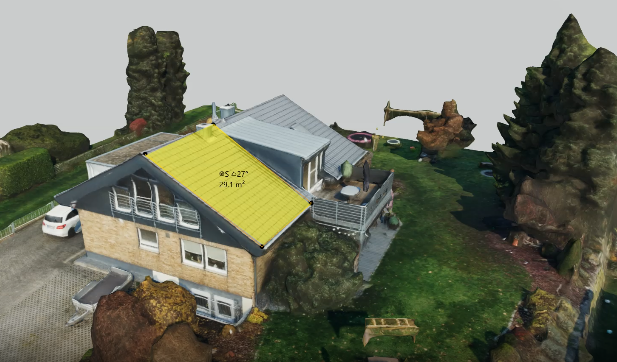
One flight, one shared source of data for everyone involved. Instead of sending files, your team, your service providers, and your customers open the same model in their browsers—today for data collection, next year for comparison.
Free and with no obligation. A 15- to 30-minute consultation with a suitable expert. Response within 24 hours. Or Request a Service Description & Technical Specifications.
With DroneViewer, you can bring high-resolution, georeferenced 3D building models and orthophoto views directly into the browser and make them available to your customers in a cloud-based workspace featuring your own branding. Whether it’s a roof, a facade, or the surrounding area: With just a few clicks, you or your clients can survey areas, document damage, generate reports, create quotes, and bill for services. You’re in control of your data, determine the scope of functionality—and, if desired, can also receive custom features and workflows tailored to your business processes.
Ideal for
- Municipalities & Government Agencies
- Drone Pilot
- Housing Cooperatives
- Project Developer
- Solar, Roofing, and Facade Contracting
Technical Specifications
Verifiable data for suitability testing and system comparison
Coordinate Systems
- EPSG:25832
- EPSG:25833
- EPSG:4326
- EPSG:3857
- EPSG:3035
- EPSG:31466–31469
ETRS89/UTM, WGS84, Web Mercator, LAEA Europe, and DHDN/Gauss-Krüger for historical cadastral data. We can set up additional reference systems upon request.
Operating Models
- Split Instance
- Dedicated Instance (Single Tenant)
- On-premises
Hosted in compliance with the GDPR; if desired, in the client’s data center. The dedicated instance functions just like your own infrastructure, without tying up capacity at your facility.
Interfaces and Data Sovereignty
- Documented REST API
- Open Export Formats
- Offline Export Package
Plugin-free access in the browser, even for external auditors without system access.
Target Audiences & Areas of Application
For everyone who works with buildings—the smarter way.
- Municipalities & Government Agencies
Dedicated instance, permanent hosting, and vendor-neutral access for all parties involved
- Drone Pilot
Upload 3D models, link projects, and strengthen customer loyalty
- Housing Cooperatives
Document conditions, prepare for renovations, identify PV potential
- Project Developer
Visually track construction phases, involve partners, and ensure sound decision-making
- Solar Installers & Roofers
Reliably Evaluate Slopes, Roof Shapes, and Obstacles
- Facade Construction
Quickly assess areas, calculate quotes, plan actions
Demo
Try the DroneViewer demo here
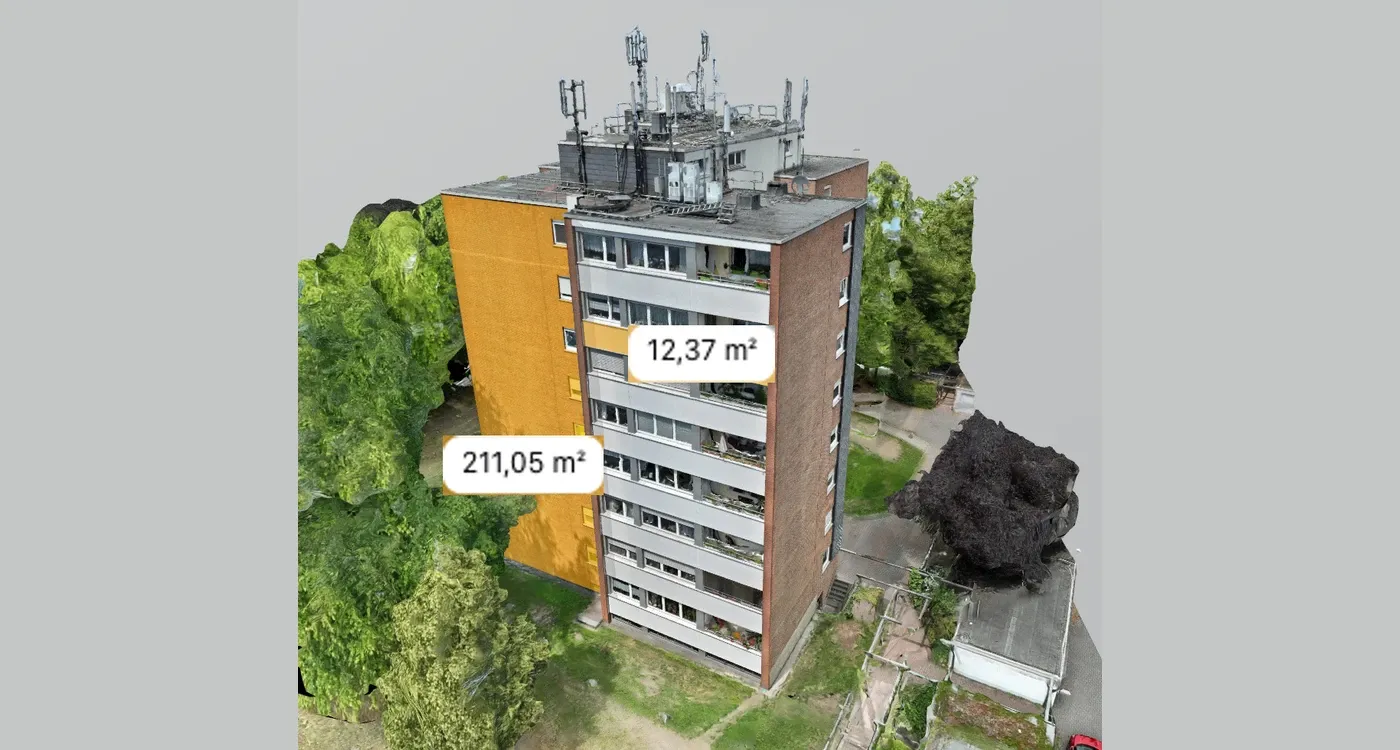
Aerial Survey of a Structure: 3D Model with Damage Mapping and Measurement Tools.
Is your network blocking the embedded demo? Open the demo in a new tab
Note: This interactive 3D demonstration is designed for landscape orientation. Please rotate your mobile device.
About the "3D Viewer for Infrastructure Planning" DemoDigital Surveying & Analysis
More than just a viewer—your central work platform
Set the working plane instead of measuring curved surfaces
Accurately capture facades and roofs using just three points
Exact measurements
Lengths, Areas, Volumes, Slopes
Smart Tools
Mapping, Annotating, Marking, Damage Numbering
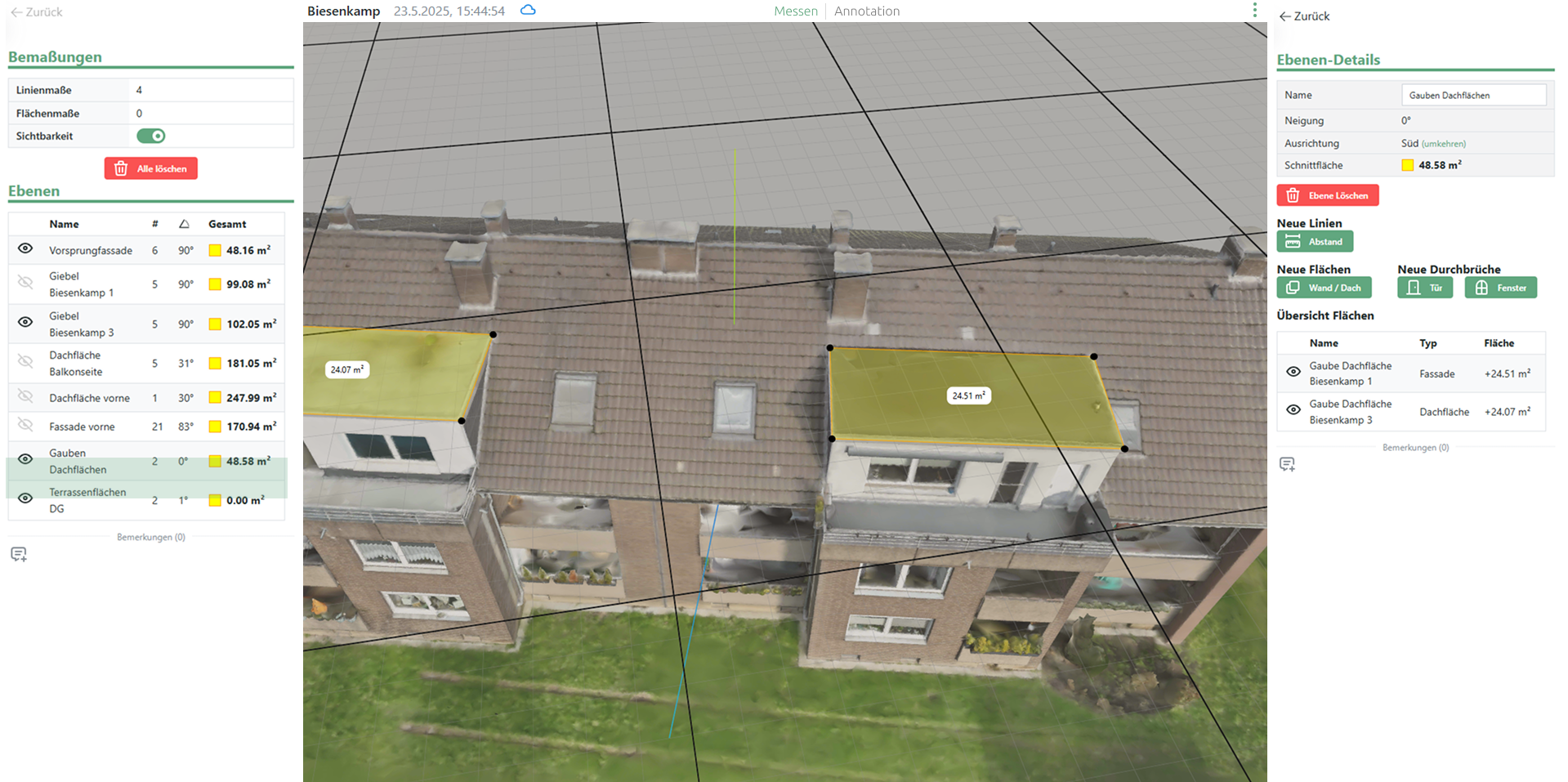
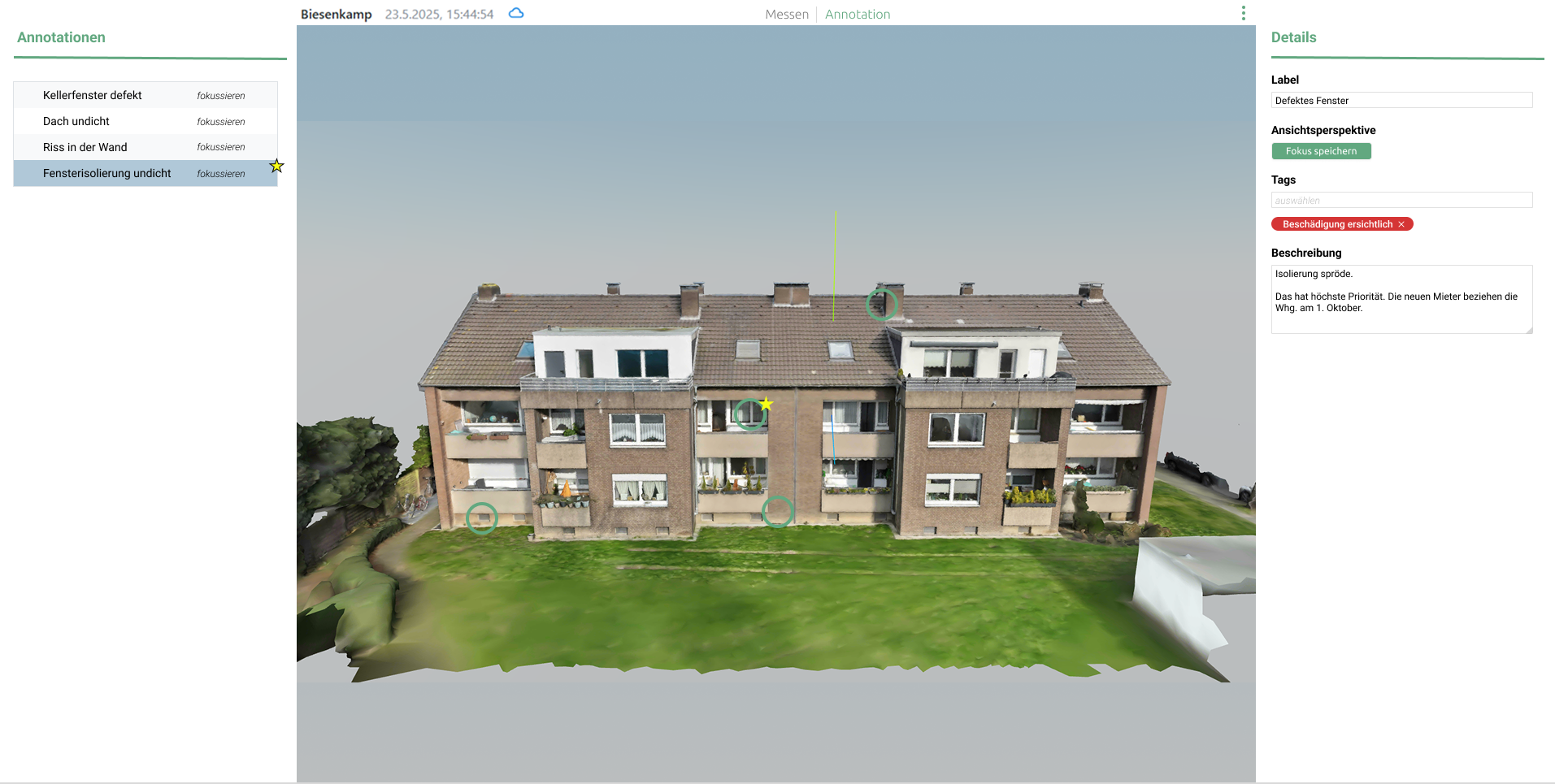
View and edit 3D models directly in your browser
No installation, no plugin, no client setup
Damage Analysis & Thermal Insulation
Classify, document, export
Supported Data Formats
A viewer for your existing data sources—without the need for conversion
- LAS
- LAZ
- E57
- OBJ
- Cesium 3D Tiles
- GeoTIFF
- DXF
- IFC / Revit / JT / STEP
Core Capability
The Working Plane—The Crucial Difference
Instead of laboriously taking measurements on curved surfaces, you can define a working plane with just a few clicks—for example, on a facade or a roof. Windows, doors, and utility lines are automatically projected onto that plane. It’s fast, accurate, and ready to use immediately for planning, quotes, or reports.
Free and with no obligation. A 15- to 30-minute consultation with a suitable expert. Response within 24 hours.
FAQ About DroneViewer
Questions and Answers
What is DroneViewer?
DroneViewer is a web app that allows users to view, measure, and share 3D drone models of buildings.
Do I need to install any software?
No. Everything runs directly in the browser—no installation required.
How accurate are the measurements?
Measurement accuracy depends on the drone scan—the deviation is typically in the range of a few centimeters.
Can I save the data permanently?
Yes, all measurements and comments can be saved in the project and accessed or added to later.
How do I share a project with others?
It's easy—just use the project link. The recipient doesn't need to log in, and you can password-protect it if you'd like.
Can DroneViewer be integrated into my system?
Yes. There is an API that can be used to automate uploads, material data, or project links.
What data sources are supported?
Point clouds and photogrammetry in LAS, LAZ, E57, OBJ, Cesium 3D Tiles, GeoTIFF, and DXF. The CAD/BIM module also supports IFC, Revit, JT, and STEP. Photo datasets from any drone or laser scanner are supported. The format matters, not the manufacturer.
Next Step
Schedule a demo or request a service description
Free and with no obligation. A 15- to 30-minute consultation with a suitable expert. Response within 24 hours. Or Request a Service Description & Technical Specifications.